Recall what was actually said
Return to the recording, transcript or summary when a detail matters. Recover the reasoning behind a decision without relying on memory or asking everyone to repeat themselves.
Your most important conversations belong in your environment. TensorOps Notetaker turns Zoom, Google Meet and Teams calls into summaries, assigned actions and connected company knowledge. Self-hosted and maintained by TensorOps. Safety is the starting point.

 Google Meet
 Microsoft Teams
Know who was there, what matters and what happens next. Keep every conversation useful, connected and inside your control.
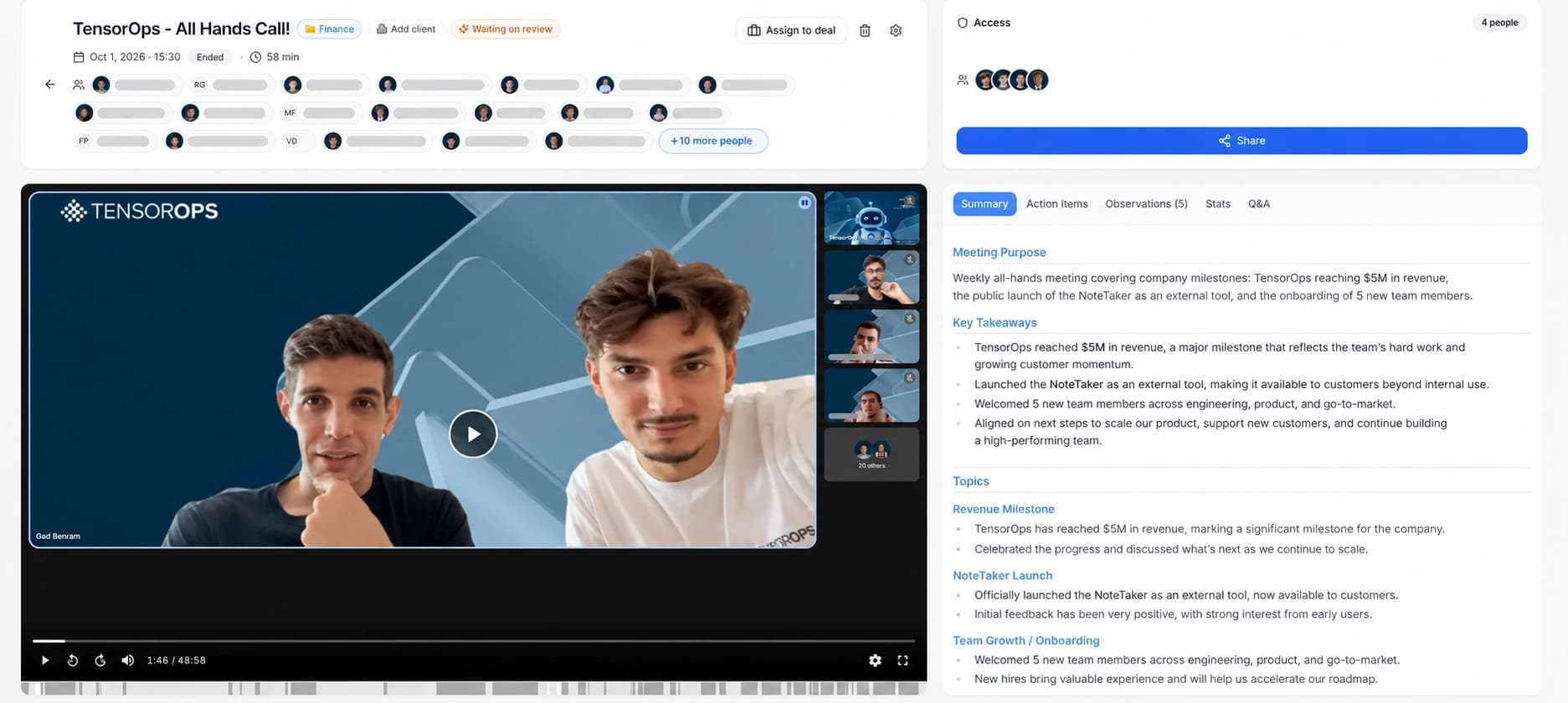
See who participated in the call. Keep the people behind each conversation connected to its notes and follow-up.
See who participated in the call. Keep the people behind each conversation connected to its notes and follow-up.
Set several user groups as default recipients, so the right teams get access automatically. Keep sharing within your access rules.
Turn the conversation into an AI summary and action items. Review the purpose, key takeaways and decisions without replaying the whole call.
Automatically classify calls into folders and identify sensitive content, including revenue, prices, employee salaries and HR discussions, for the appropriate handling.
Connect meeting knowledge to your CRM. Link a call to its client or deal so account context and follow-up stay together.
Automatically generate action items and assign them to call attendees. Turn commitments made in the meeting into clear responsibilities.
Capture observations and sync them to the Company Brain. Give executives a connected overview of company status, emerging issues and what teams are learning.
Explore the Company BrainChat with the call through AI Q&A. Ask what was discussed, which decisions were made and what still needs an answer.
Transcription supports all languages. Keep multilingual conversations accessible to your team, alongside the recording, summary and follow-up.
TensorOps Notetaker · meeting interface. The captured view shows the Summary tab.
Return to the recording, transcript or summary when a detail matters. Recover the reasoning behind a decision without relying on memory or asking everyone to repeat themselves.
Generate action items automatically and assign them to the people who attended. Keep the next step connected to the conversation that created it.
Share with the right groups by default. Help colleagues and managers understand progress, commitments and blockers, with access controls around sensitive conversations.
Connect meeting context to your CRM and sync observations to the Company Brain. Conversations become a lasting foundation for organizational knowledge and leadership visibility.
Keep recordings, transcripts and AI processing in your own AWS environment. Your meeting knowledge stays under your control, instead of becoming another copy held by a meeting SaaS vendor.
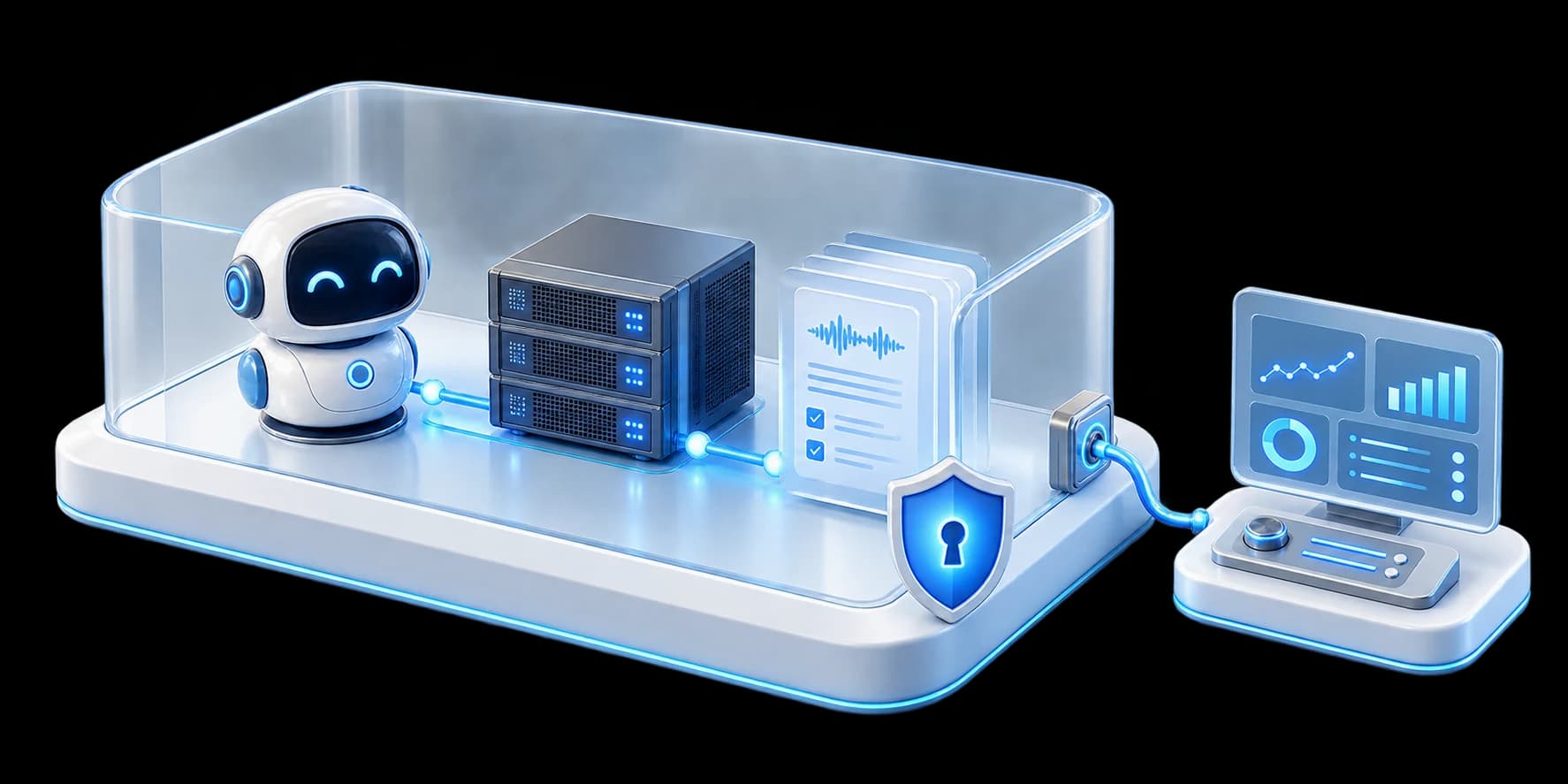
No separate notetaking SaaS vendor stores or processes your meetings. Reduce exposure to third-party data reuse, onward sharing and vendor-side breaches.
Control who can access recordings, how teams share them and how long they are retained. Sensitive business information stays governed by your policies.
We maintain the deployment and model configuration through access you authorize. Your team controls permissions; operations follow your agreed policies.
This design uses self-hosted speech and language models. External model APIs and outbound integrations are explicit routing choices. Your meeting platform still handles the original call; AWS and your team share responsibility for cloud security. We can also assess AWS sponsorship for an eligible deployment.
Read our approach to meeting data safetyFrom a single call to the systems and people that keep your company moving.
Connect calls to clients and deals. Keep meeting knowledge close to the account context and follow-up it belongs to.
Sync observations to the Hub so executives can see company status, connect emerging issues and learn from what teams are hearing.
Transcription supports all languages. Bring multilingual meetings into the same place for review, summaries and follow-through.
Advanced group sharing, retention policies and sensitive-content classification belong in an organizational deployment. TensorOps brings those capabilities into your environment, with Company Brain connections built around your business.
Estimated AWS running cost for 25 people, scaled from our observed deployment for 22. Hosting stays on throughout the month, including weekends.
Assume 4 attendees per call and 260 workdays: 50 participant-hours become 12.5 recording hours a day, or 3,250 a year. A shared call is captured once.
| Option | Monthly cost | Your estimated savings | Price basis & source |
|---|---|---|---|
| TensorOps NotetakerSelf-hosted on AWS | $518AWS running cost only | Your baseline | Your AWS environment, advanced sharing and retention. Estimated cloud bill; setup and management excluded. |
| Fathom BusinessPublished price | $850 | 39% lower$332 / month | $34/user/month, billed monthly. Fathom pricing |
| Fathom EnterpriseCustom retention & security controls | Custom quote | Compare your quote | No verified public numerical benchmark. Fathom pricing |
| Gong FoundationsReported estimate · 25 paid seats | $3,125–$7,500Monthly equivalent · annual contract | 83–93% lower$2,607–$6,982 / month | $108.33–$133.33/seat/month + $417–$4,167 platform fee/month. Praiz · TropicThird-party figures; negotiated quotes vary. Onboarding and add-ons excluded. |
Estimated AWS running costs compared with the reported Gong range for 25 paid seats: about $2,607–$6,982 less each month, before TensorOps services. Against Fathom Business, the difference is 39% ($332/month), billed monthly.
Savings compare our estimated AWS bill with competitor subscription costs. They are cost differences, not vendor discount offers or guaranteed total-cost savings. TensorOps setup and management are excluded; Gong’s broader revenue features differ.
Enter its monthly total or divide an annual quote by 12, including the platform fee.
Your quote stays in this browser. No amount is sent or saved.
We scale the observed monthly cloud bill proportionally: $456.25 × 25 ÷ 22 = $518.47 per month. Actual AWS costs depend on concurrent calls, models, compute, storage, retention and data transfer; they do not necessarily scale per seat. Setup, TensorOps management, taxes and credits are excluded. This is an infrastructure-versus-license comparison, not a total-cost quote.
Sharing and retention put TensorOps in the enterprise use case. The products differ in features and service scope; this comparison does not imply full feature parity or replace a deployment estimate.
Sources checked October 6, 2026: Fathom official pricing · Gong official pricing structure. Gong publishes per-user licenses and a platform fee, without rates.
Reported Gong inputs converted to monthly equivalents: Praiz (July 12, 2026) gives $108.33–$133.33/seat/month plus $417–$4,167 in platform fees/month. Tropic (August 6, 2026) gives $133.33/seat/month plus $4,167/month. Gong figures are annual contract amounts divided by 12. Our 25-seat range is calculated from reported inputs; it is not a quote for this team. Onboarding, add-ons and negotiated concessions are excluded.
We’ll review your recording policies, infrastructure and model choices, and check whether AWS sponsorship is available for your deployment.